Your availability nearby
Turn your Near Payments availability on or off in the app.
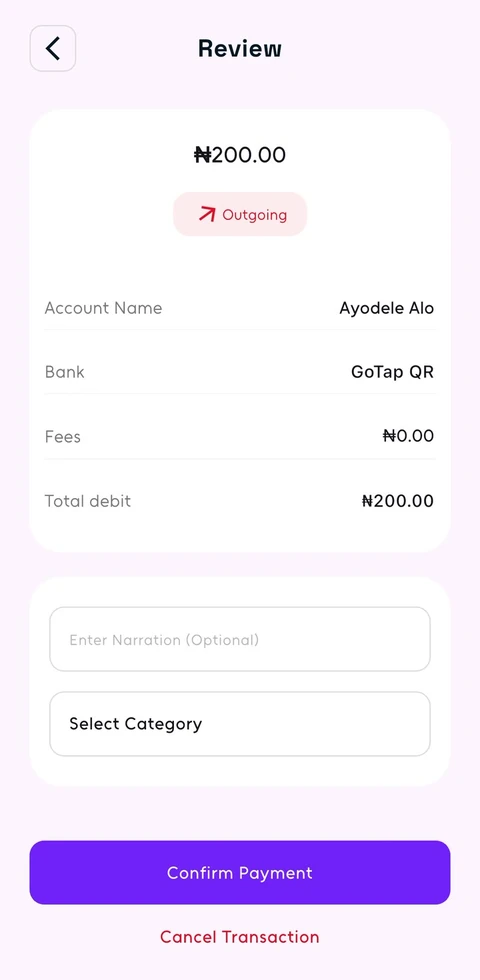
See who you’re paying, check the amount and any fee, then approve.
Review the recipient’s name, amount and any fee before confirming. If something doesn’t look right, stop and check.
Bestie, your GoTap AI companion, can prepare a payment from your message or a photo of account details.
You review the details and authorise the payment in GoTap. Bestie doesn’t send money without your approval.
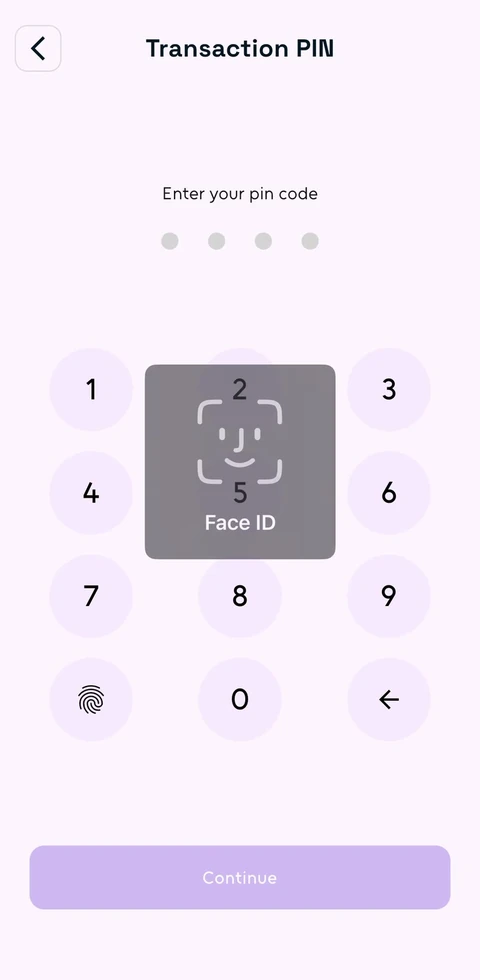
Approve payments with your transaction PIN, or use Face ID or fingerprint when enabled on a supported phone.
Your login PIN opens GoTap. Your transaction PIN approves payments. Manage both in Privacy & Security.
Turn your Near Payments availability on or off in the app.
Open a transaction to check its status and reference, share a receipt or report a problem.
Keep your PINs and verification codes to yourself. Never share them in a chat, including with Bestie.
Email hello@usegotap.com straight away from a device you trust.
How to keep your account safeOpen the payment in Transactions and tap Report Issue. Your email app opens a message with the transaction reference included. Add what happened, review it and send.
How to report a paymentDon’t share it. Enter your PINs and verification codes only where GoTap asks for them in the app.
Reset your login PIN from the sign-in screen. To reset your transaction PIN, open Privacy & Security and complete the checks in the app.
Help with your login PIN